


Settle: Class Actions
4.7116.00 Reviews
App Specs
- Version
- 1.2.2
- Updated On
- License
- Free
- Downloads
- 50,000+
- Developer
- Nikanomi
- Categories
- Finance
- Platform
- Android
Screenshots
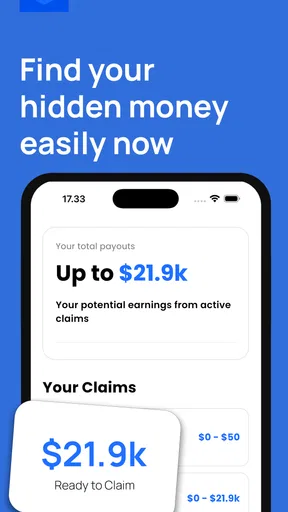
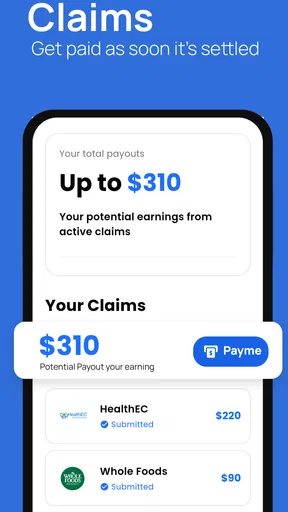
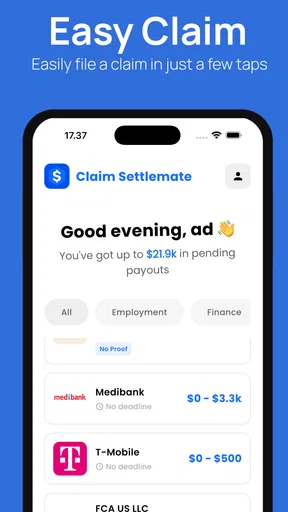
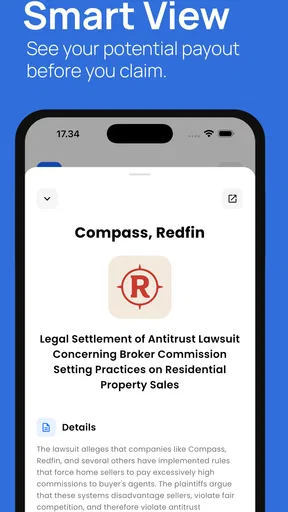
 Analysis by AppCompare
I approached Settle: Class Actions as a practical finance app rather than something I would open every day. Its purpose is straightforward: help people find class action settlements that may apply to them and move through the claim process more easily. That sounds simple, but the real value is in reducing the amount of searching, reading and deadline-checking that usually makes these claims easy to ignore.
Developed by Nikanomi, the app is free to download and aimed at Everyone. It has a 4.7 average from around 2 thousand ratings, with more than 50 thousand installs, which gives it a reasonably encouraging first impression for a relatively focused service. I tested it with the mindset of someone who has seen a settlement notice, wondered whether it was legitimate, and then postponed dealing with it.
How Settle fits into the class action search
The central question is not whether this app can replace legal advice. It cannot, and I would not treat it as a legal authority. The useful question is whether it can make the first stage of the process less confusing: discovering relevant settlements, checking basic eligibility, and deciding whether it is worth continuing to the official claim steps.
That distinction matters. A normal web search often produces a mixture of law-firm pages, news stories, old settlement notices and unrelated advertisements. Searching manually also makes it easy to miss a deadline or misunderstand whether a settlement covers a particular product, purchase period or location. Settle gives that initial discovery process a finance-oriented home instead of leaving it scattered across browser tabs.
In my experience, the app makes the most sense for people who occasionally buy consumer products or use widely available services and want a convenient way to check for possible settlements. It is less useful for someone who already follows settlement notices closely, keeps detailed purchase records, and is comfortable verifying every claim directly through official court or administrator pages.
The short store description is simply “Settle,” while the longer summary focuses on finding and claiming class action money quickly and easily. I would interpret that promise carefully. The app can make the search and organization feel quicker, but it does not make eligibility automatic, guarantee payment, or remove the need to read the settlement terms. Those details still matter more than the convenience of the interface.
What the first few minutes are really like
The first useful task is building a habit around checking rather than expecting an instant payout. I would open the app when I receive a settlement email, hear about a consumer case, or remember a purchase that might be relevant. Instead of immediately submitting a claim, I would first compare the settlement’s description with what I actually bought or used.
Worth Reading Before You Choose

EA SPORTS FC Mobile 26 Is a Bigger Football Game, but It Takes Time

Flipboard Shows What News Apps Must Do Beyond the Feed

Switching to Android Auto Means Rethinking Your Driving Routine

Google Calendar Makes a Crowded Week Easier to Manage

Ludo King Makes the Most of the Minutes Between Plans

Baby Panda World Brings Quick Play to Modern Phones, but Its Game Library Feels Busy
A good workflow is to keep the original notice, receipt, order email or account record nearby. If the app presents a settlement that appears relevant, those documents help answer the questions that matter: Was I in the covered group? Did I use the product during the stated period? Is proof required? Does the claim ask for information I can reasonably provide?
This is one of the less obvious trade-offs. An app can surface opportunities, but it cannot create evidence that a user does not have. Someone who files quickly without checking the details may spend time on claims that do not apply. Someone who uses Settle as a reminder and verification aid is likely to get more value from it.
I also recommend treating every claim as a separate decision. A settlement involving a familiar brand is not automatically relevant just because the name looks recognizable. Read the coverage carefully, especially when the product has changed over time or when the settlement applies only to particular customers, regions or purchase circumstances.
Speed: convenient discovery, deliberate decisions
Settle’s perceived speed is strongest at the beginning of the process. A focused finance app is more convenient than repeatedly searching the open web for current class actions. When I am checking whether anything deserves attention, reducing that search friction is meaningful. The app’s purpose is narrow enough that I do not have to construct the right search phrase every time.
However, quick discovery should not be confused with quick completion. Claim forms can still require careful reading, personal details, purchase information or supporting documentation. The app may help me reach the relevant opportunity, but the settlement administrator’s own process remains the part that determines how much work is involved.
For a realistic everyday scenario, imagine noticing a message about a product you bought several months ago. I would open Settle, look for a matching case, check the covered dates and product description, then put the official deadline beside the message in my calendar. If the claim requires proof, I would search my email or shopping history before starting. That workflow is faster than guessing, but it is not careless.
A useful tip is to avoid opening the app only when you are already rushing. A short, regular check is more practical than trying to investigate several settlements at once. The benefit comes from catching relevant opportunities early enough to gather records, not from pressing through every available claim as quickly as possible.
Another important speed consideration is reading quality. If a settlement description is brief, I would use it as a starting point rather than the complete explanation. The official notice and claim administrator instructions should settle questions about deadlines, eligibility, documentation and payment. Settle is best viewed as a discovery layer, not the final word.
Heavy-use moments and resource expectations
The app’s most demanding moments are likely to occur when several settlement opportunities are being reviewed in one sitting, particularly if I move back and forth between Settle, email, browser pages and stored documents. That kind of use is more about multitasking than about the finance category itself.
I would not install it expecting a game-like workload or an app that needs constant attention. Its role is occasional and task-focused. That makes it a better fit for a modest phone than an application designed around continuous media, navigation or background activity. The stated minimum operating system is Android 7.0, so it is accessible to many older Android devices as well as newer ones.
Older hardware can still make any app feel less immediate, especially when the device is already crowded with large apps, limited storage or many open processes. I would keep enough free space for normal app updates and avoid judging the service solely from a phone that is struggling across the board. Closing unrelated apps before a focused session may also make switching to supporting documents easier.
One practical limitation is that the useful work may happen outside the app. I might need an email client for receipts, a browser for official settlement terms, and a notes or calendar app for deadlines. That does not make Settle pointless, but it means its resource demands should be considered as part of a wider workflow rather than as an isolated experience.
For people with limited mobile data, I would use it when connected to a trusted Wi-Fi network if I planned to review many entries or open supporting pages. I would also avoid assuming that an app’s convenience eliminates the need to save important confirmation details. If I submit something through an external page, keeping the confirmation information in a secure place is sensible.
Reliability, trust and recovering from interruptions
Reliability matters more here than flashy presentation because a missed deadline can matter more than a slow screen. I look for a service that helps me return to a task without losing track of what I was reviewing. The app’s focused purpose supports that kind of use, but I still would not rely on it as the only record of a claim or deadline.
My preferred recovery habit is simple: when I find a potentially relevant settlement, I note its name, deadline and the next action before leaving the app. If I need to gather proof, I record what is missing. That way, a phone restart, an interrupted session or an accidental screen change does not force me to reconstruct the entire search.
This is especially important because settlement work is often spread over several days. I may discover a case today, locate an old receipt tomorrow, and submit the claim later. A small personal checklist can make the process more dependable than memory alone. It also helps separate claims I have only researched from claims I have actually submitted.
I would be cautious about entering sensitive information until I understand where the form is taking me and who is responsible for processing it. A familiar settlement name is not enough reason to skip verification. Before submitting, I would compare the destination and instructions with the official settlement notice and check that the information requested makes sense for the claim.
The app’s 115 reviews are another reason I would read user feedback for practical clues, but I would not treat a rating as proof that every settlement or claim outcome will be smooth. A 4.7 average is encouraging, yet individual experiences can differ depending on the device, the settlement involved and the external claim process.
Recovery also means knowing when to stop. If the eligibility language is unclear, the requested information seems excessive, or the official instructions conflict with what I expected, I would pause rather than submit a questionable claim. The app is useful for finding possibilities; careful verification protects the quality of the final decision.
Device constraints and the free-versus-paid question
Settle is free to download, which lowers the barrier for trying its core idea. There are in-app purchases ranging from $4.99 to $59.99 per item, so I would pay attention to any upgrade screen and understand exactly what a purchase adds before agreeing to it. A free download should not be mistaken for an unlimited free experience.
For occasional users, the free entry point may be enough to decide whether the app fits their routine. I would not pay simply because a settlement looks promising, since a purchase cannot guarantee eligibility or a payout. The sensible test is whether the added option saves enough time or provides enough value for the way I personally use the service.
Device age is another consideration. Android 7.0 is a relatively broad compatibility floor, but operating-system support does not guarantee that every old phone will feel equally responsive. Battery condition, available storage, memory and the number of other installed apps can all affect the experience. On an older device, I would keep expectations realistic and use the app for short, purposeful sessions.
Privacy-conscious users should apply the same care they would use with any finance-related service. I would avoid sharing more information than a legitimate claim requires, read the relevant instructions, and keep copies of submission confirmations. The app can organize discovery, but personal document management remains my responsibility.
There is also a screen-size issue. Reviewing legal or settlement language on a small phone can be tiring, particularly when the wording is dense. If a case looks important, I would continue reading the official terms on a larger screen. That is not a criticism unique to Settle; it is a practical reason to use the phone for discovery and a browser or computer for close document review.
Who will get the most from it?
I would recommend Settle to a casual consumer who wants a single place to look for possible class action opportunities without learning specialized search terms. It is also useful for someone who tends to discover settlement news late and wants a more repeatable checking routine.
It may suit people who are organized enough to verify details but do not want to monitor many websites manually. The strongest user is not someone chasing every possible dollar. It is someone willing to compare the app’s information with official instructions, collect evidence when needed, and keep track of what has already been submitted.
I would be less enthusiastic for legal professionals, experienced settlement researchers or users who already have a trusted manual system. A browser, spreadsheet and saved alerts may offer more control for them. Likewise, anyone expecting guaranteed money, instant approval or fully automated claims should skip it, because those expectations misunderstand the nature of class action settlements.
It is also not the right choice for a person who dislikes checking dates and eligibility language. Even a well-organized discovery tool cannot make those responsibilities disappear. If I am unwilling to read the terms or preserve confirmation details, the convenience could encourage rushed decisions rather than improve them.
How it compares with ordinary alternatives
The usual alternative is a general web search. That approach can be more flexible and may expose official notices directly, but it also creates more noise and requires better judgment about which pages are current and trustworthy. Settle’s advantage is focus: I can begin with settlement discovery instead of inventing a search strategy.
Email alerts and newsletters are another option. They can be useful when a source is reliable, but messages can be buried, filtered or overlooked. An app-based routine gives me a separate place to check. The trade-off is that I still need to verify the information and cannot assume that every alert is equally relevant to my circumstances.
A spreadsheet offers stronger personal tracking. I can record deadlines, proof requirements, submission status and confirmation numbers in a way tailored to my needs. Settle is easier at the discovery stage, while a spreadsheet may be better for long-term organization. I would happily use both rather than forcing one tool to do every job.
Finally, going directly to official settlement administrator pages is the best option when I already know the case name or have received a formal notice. Those pages should guide the final claim decision. Settle is most valuable before that point, when I am trying to discover whether an opportunity deserves a closer look.
My performance verdict
After weighing speed, heavier multitasking, device demands and recovery habits, I see Settle as a focused convenience tool rather than a complete financial service. Its strongest contribution is reducing the friction between hearing about a settlement and investigating it properly. That is a modest role, but it addresses a real reason people miss claims: they never get around to searching and checking.
The app is likely to feel most efficient when I use it in short sessions, keep supporting records nearby, and treat each result as a lead that needs verification. It is less convincing when the expectation is a one-tap payout or when I need detailed personal case management. Those limits are important, but they do not cancel the value of a focused starting point.
Version 1.2.2 gives the app a clear, current identity for its intended task, while Nikanomi’s finance-focused product remains approachable for a broad range of Android users. I would install it if I wanted a convenient way to look for relevant settlements, especially because the download is free. I would not pay for an optional item until I had used the basic experience long enough to understand whether it genuinely improves my own workflow.
My final advice is to use Settle as a filter, reminder and starting point—not as a substitute for official settlement documents or personal records. If you are willing to slow down at the final decision, it can make an otherwise easy-to-ignore process more manageable. The best result comes from combining its discovery convenience with careful eligibility checks and reliable deadline tracking.
Pros
- Clear explanations of eligible class-action settlements and deadlines.
- Helps users discover claims they might otherwise miss.
- Streamlines access to official claim-filing information.
- Useful deadline reminders can reduce the risk of missing submissions.
- Simple interface makes browsing settlements quick and convenient.
Cons
- Eligibility varies widely
- so many listed settlements may not apply to you.
- Payout amounts are often uncertain and may be smaller than expected.
- Some claims require receipts
- documents
- or detailed personal information.
- Settlement listings may have limited availability depending on your location.
- Filing through the app does not guarantee approval or payment.
FAQs for Settle: Class Actions
What is Settle: Class Actions, and how does it work?
Settle: Class Actions is an app designed to help users discover potential class-action settlements and check whether they may qualify for compensation. After creating an account, you can browse available cases, review eligibility requirements, deadlines, and claim instructions. The app may simplify the discovery process, but users should still read each settlement’s official notice carefully before submitting a claim.
Is Settle: Class Actions free to download and use?
The app is generally intended to be free for users who want to browse settlements and learn about possible claims. However, availability of specific features, account requirements, or optional services can change over time. Before submitting personal information, review the app’s current terms, privacy policy, and any settlement-specific instructions so you understand whether fees, commissions, or other conditions apply.
Can Settle guarantee that I will receive money from a settlement?
No. Settle cannot guarantee that you qualify for a particular case or that your claim will be approved. Eligibility depends on the official settlement rules, the information you provide, the validity of your documentation, and whether the fund has sufficient money for all approved claims. The final decision is normally made by the settlement administrator or court-appointed process.
What personal information may I need to provide?
Depending on the settlement, you may be asked for information such as your name, contact details, purchase history, account information, or other proof connected with the case. Some claims may require additional documentation. Because this can involve sensitive data, check the app’s privacy practices and the official settlement website before uploading documents, and only provide information that is specifically required for the claim.
Are settlements listed in the app available on both Android and iPhone?
Settle: Class Actions may be available for Android and iOS, but the exact app version, supported devices, and regional availability can differ between the Google Play Store and Apple App Store. Settlement eligibility also depends on the case itself, including location, purchase dates, and membership in the affected group. Always check the current store listing and official case requirements before downloading or filing.


